
Add a Countdown Timer to WordPress in 2 Minutes
Add a free countdown timer to any WordPress page or post — no plugin, no coding, no theme edits. Copy one embed code, paste it into an HTML block, and publish.
Create Your Free WordPress CountdownWhy Add a Countdown Timer to WordPress?
A countdown timer turns a static WordPress page into a time-sensitive call to action. Whether you run a blog, a client site, a membership area, or a WooCommerce store, a visible deadline pushes visitors to act now instead of "later" — and later usually means never.
A ticking deadline makes offers, registrations, and launches feel real and immediate.
Pages with a visible deadline consistently see more signups, sales, and registrations.
A live, ticking element keeps visitors on the page and makes campaigns feel current.
Step 1: Create Your Countdown Timer on CountdownShare
Open the CountdownShare builder, set your target date and time, add a title, and pick a theme. Customize colors, fonts, and layout so the timer matches your WordPress theme. A live preview shows exactly how it will look on your site.
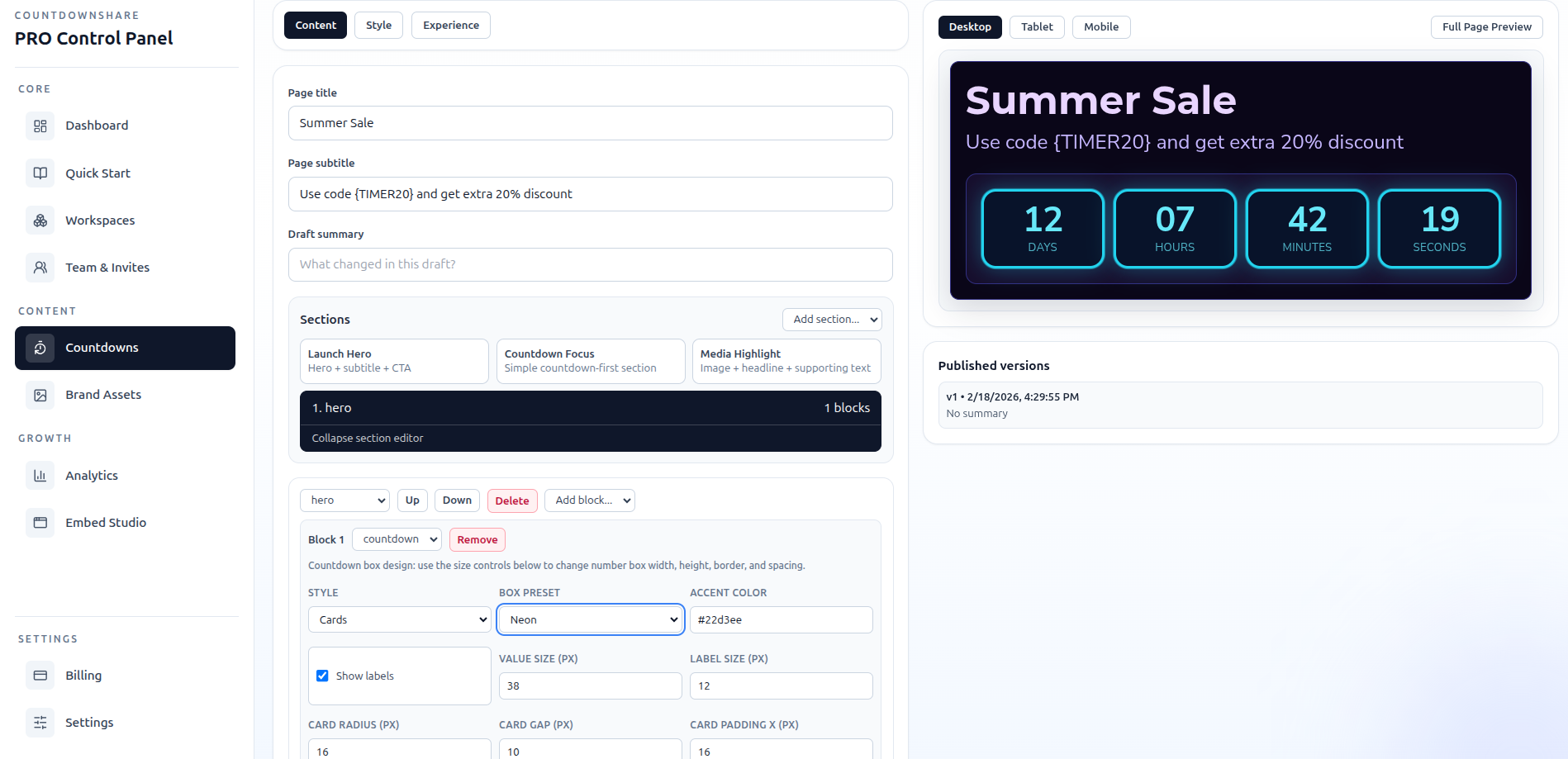
Step 2: Copy the Embed Code
Click the embed button to open the embed studio. CountdownShare generates a responsive HTML iframe snippet with your timer ID filled in. Click copy — that one snippet is everything WordPress needs.
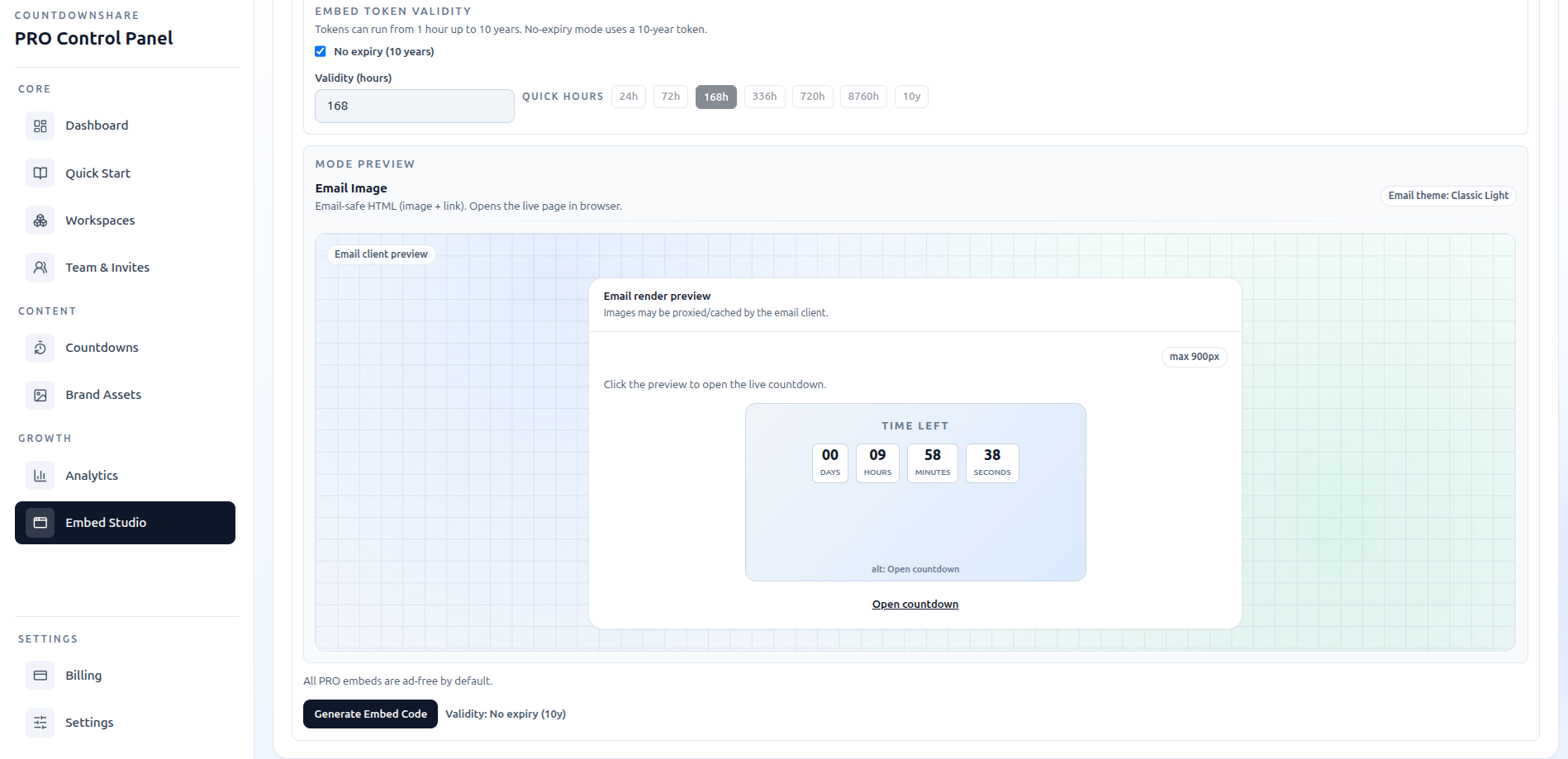
Step 3: Paste into WordPress Page or Post
In your WordPress dashboard, open the page or post where the countdown should appear. Then:
- Gutenberg (block editor): add a Custom HTML block and paste the embed code.
- Elementor: drag in an HTML widget and paste the code.
- Divi: use a Code module.
- Classic Editor: switch to the Text (HTML) tab and paste the snippet where the timer should render.
If WordPress removes the embed after saving
Reopen the Custom HTML block and check that the iframe is still there. If WordPress.com removed it, confirm the paid plan and hosting activation requirements in its Custom HTML documentation. For a self-hosted site, ask the site administrator to check your editing permissions and HTML filtering. Verify the result on the published page while logged out.
Step 4: Customise & Publish
Preview the page to check placement — the timer works best near your headline or call-to-action button, where the deadline directly supports the decision. Adjust the width or theme if needed, then hit Publish. The countdown is live immediately and stays in sync for every visitor, in every timezone, on every device.

WordPress compatibility and plan requirements
CountdownShare does not offer a WordPress plugin. Create the countdown on CountdownShare and paste its hosted iframe code into your page. Your editor and account must allow that HTML. On WordPress.com, having a Custom HTML block alone does not guarantee that iframe code can be saved.
WordPress.org (self-hosted)
Use an account and editor that permit iframe HTML. Security settings can filter embedded code.
WordPress.com
Requires a paid plan with hosting features activated for iframe support.
WooCommerce stores
Add deadline timers to product pages, sale pages, and landing pages.
Client sites
No plugin licenses to manage — agencies can reuse the same workflow on every project.
Copy-Paste Embed Code for WordPress
Paste this snippet into a Custom HTML block. Replace your-timer-id with the ID from your own timer:
<iframe src="https://countdownshare.com/embed/your-timer-id" width="400" height="200" frameborder="0" allowtransparency="true" loading="lazy" style="border: none; display: block; max-width: 100%;"></iframe>Create your timer to get the embed code with your timer ID filled in automatically.
FAQ: Countdown Timer for WordPress
Do I need a plugin to add a countdown timer to WordPress?
No plugin installation is needed to embed a CountdownShare timer. CountdownShare does not offer a WordPress plugin. Create your timer here, then paste its generated website code into a Custom HTML block or a compatible page-builder element. Your site must permit iframes; WordPress.com requires a paid plan with hosting features activated.
How do I embed a countdown timer in WordPress?
Create your timer on CountdownShare, copy the embed code, then open your WordPress page editor and add a Custom HTML block. Paste the code into the block and publish. The responsive countdown timer appears instantly and stays synchronized for every visitor in every timezone.
Will the countdown timer slow down my WordPress site?
The timer is hosted by CountdownShare, but its iframe still uses network and browser resources. Keep the generated loading settings, reserve enough space, and compare the published page before and after embedding.
Does the embed work with Elementor, Divi, and other page builders?
Yes. Any WordPress page builder with an HTML or embed element works: Elementor (HTML widget), Divi (Code module), Beaver Builder, WPBakery, and the default Gutenberg editor (Custom HTML block).
Want more detail on builder-specific setups? Read the full guide to adding a countdown timer to WordPress without a plugin, or see the WooCommerce countdown timer guide if you run a store.
Ready to Add a Countdown to Your WordPress Site?
Create a free countdown timer in 30 seconds — no plugin required.